
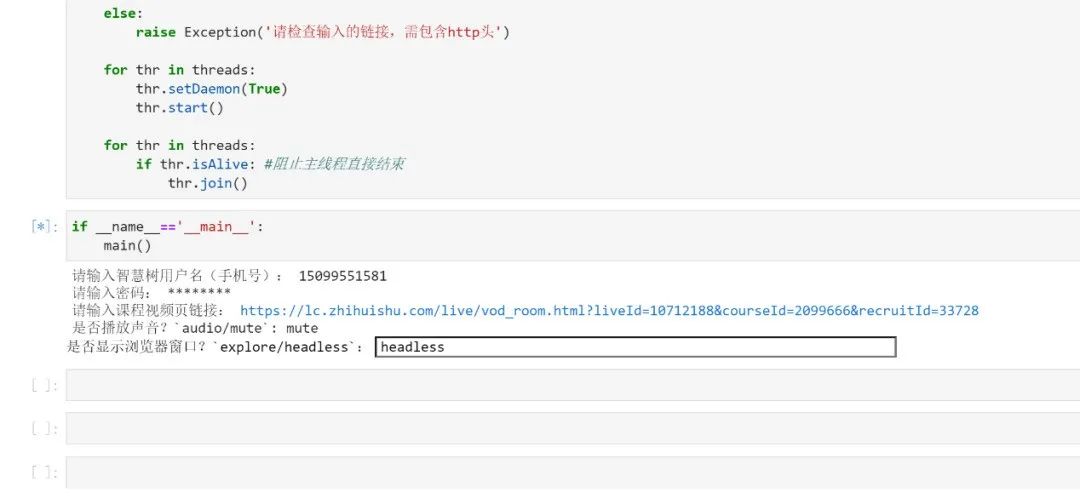

这个不多说了,模拟登陆都实现不了的话还谈什么刷课。
对于输入的URL,脚本会自动判断类型(目前只有Lesson课程和Live直播两种),根据不同的类型调用不同的类进行处理。
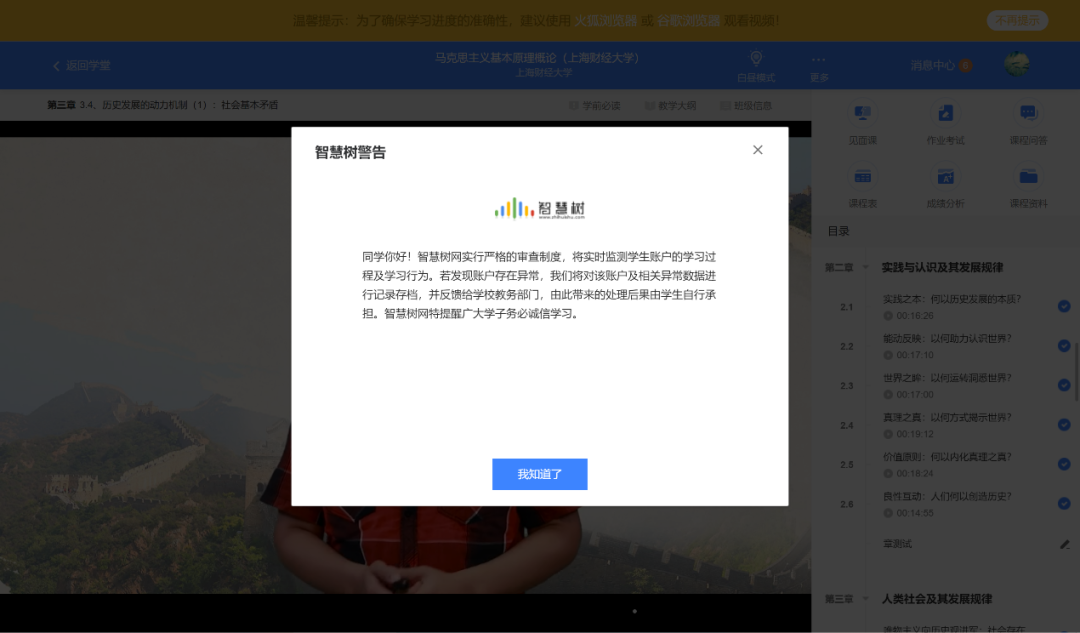
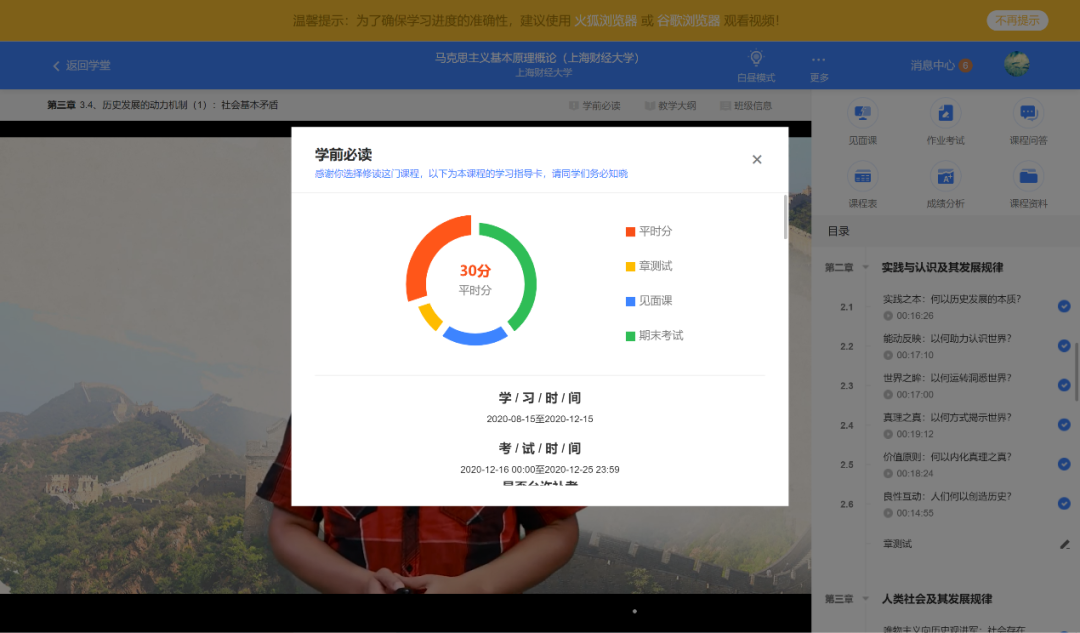
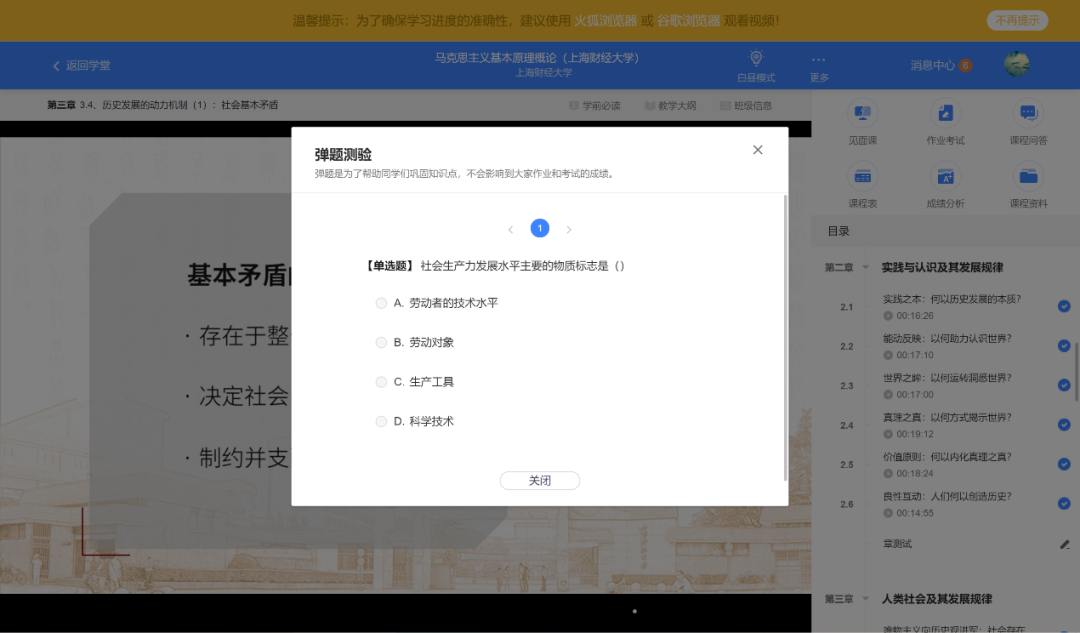
手动挂机刷智慧树视频不可行,就在于视频中经常会跳出不计分的问题,且关闭问题之后,视频并不会自动继续播放。
所以脚本就很有必要了,利用脚本,可以实时监控跳出的问题,并点击第一个选项(反正不计分)后关闭,再自动点击播放按钮实现不间断后台刷课。
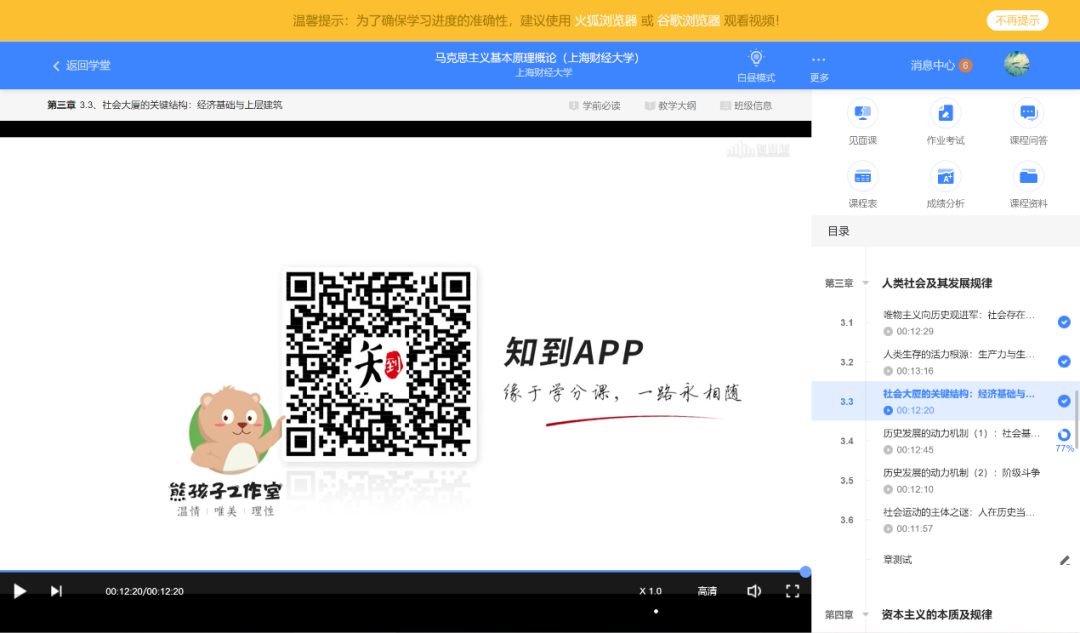
这听起来是一个很蠢的功能,但实际上,智慧树的课程视频播放结束后并不会自动下一节。这大概率也是为了防止挂机有意为之,所以脚本加入这个功能也是必须的。
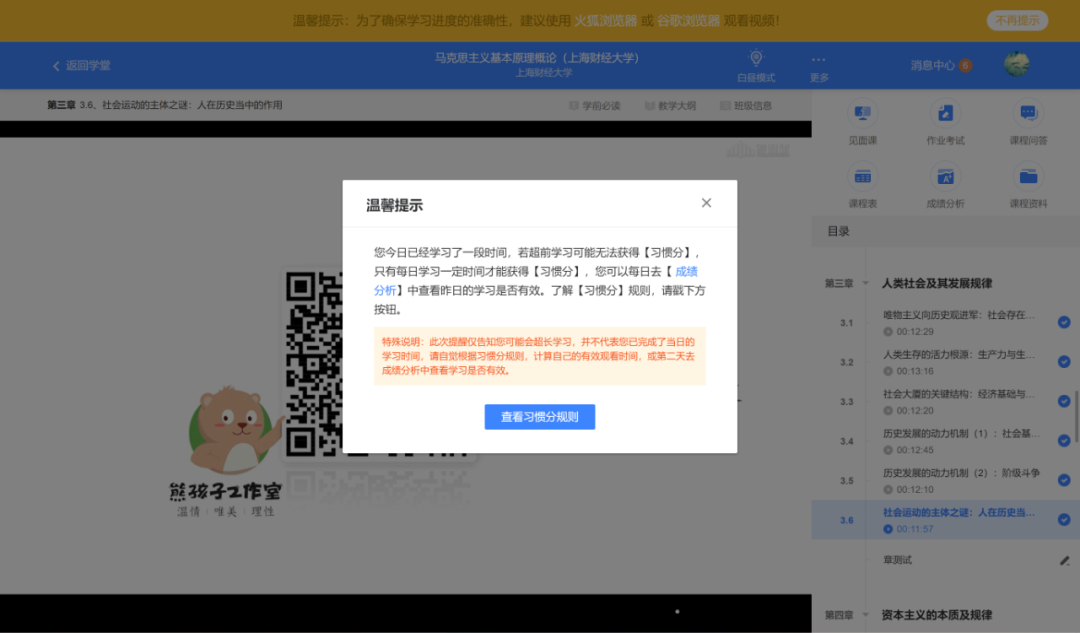
我没有具体计时,但这个跳出的时间应该远远大于25分钟,一般出现这个的话就可以关了。但如果想要继续看视频,就仍然需要用脚本把这个提示框关掉,再点击视频播放按钮。
虽然可以在跳出今日时长提示后就关闭,但为了防止时间不够,我还是设置了定时半小时关闭。
(1)当前视频标题
(2)实时进度更新
(3)观看时间提示(3分钟1次)
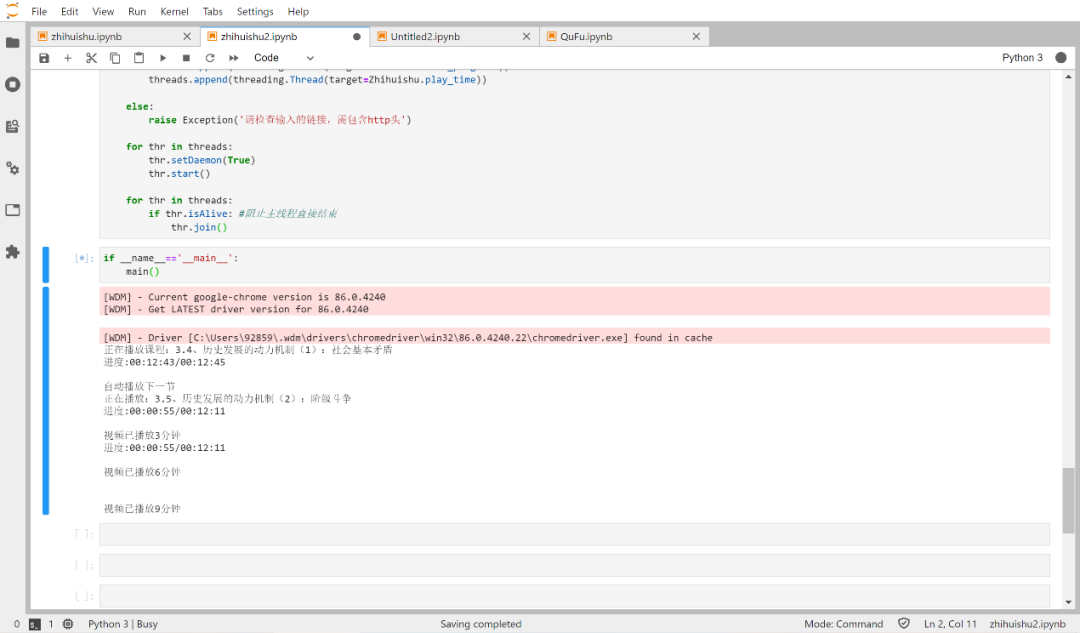
无语+1,这些提示为什么每次都要跳出来啊?
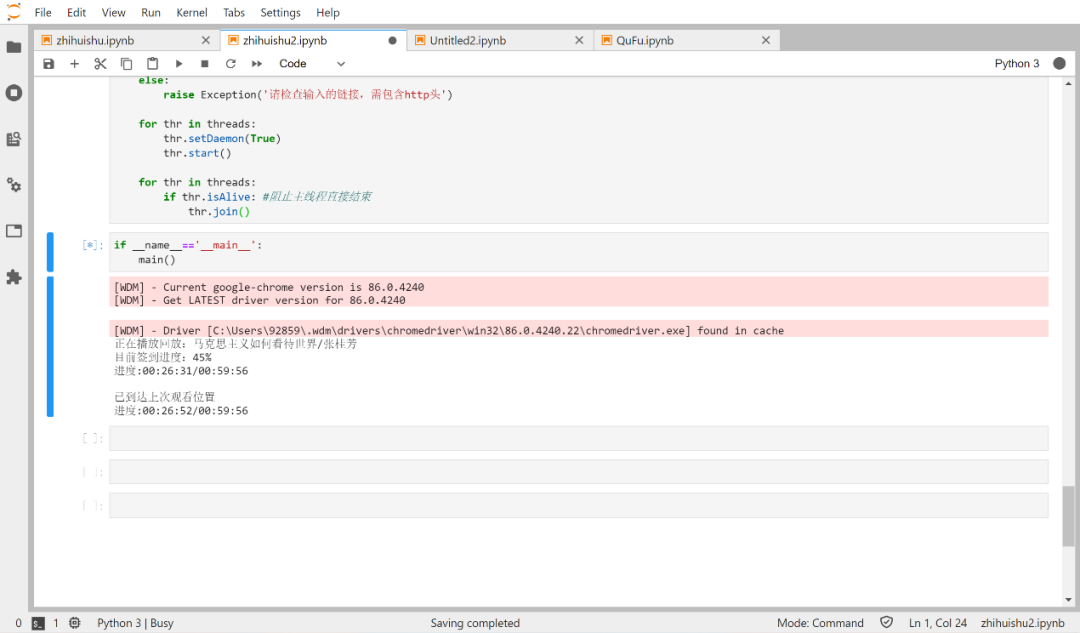
在直播页面的下方有一个蓝色的签到进度,显示了这堂直播课已经观看的百分比。这对于下一个功能的实现有极大帮助。
一节直播课时间很长,大概2个多小时,因此很难一次刷完。但和课程视频不同,直播视频每次重新进入都会从00:00:00开始,非常影响效率。
为了解决这个问题,我设置了自动加速,当视频位置在签到位置之前,视频会以每秒2分钟速度加速播放,到了签到位置后则恢复正常速度,因为没有视频,所以只能意会了...这部分也是最复杂的,我想了很多方法,最后找到了一个可以用的JS指令。
1. 实时进度条:
def show_progress(self):progress=self.dr.find_element_by_xpath('//*[@id="container"]/div[1]/div/div[2]/div[1]/p[2]/span').get_attribute('textContent')print("目前签到进度:"+progress+"%")while True:time.sleep(1)#每间隔1秒检测视频是否播放完try:#该视频的总时间total_time=self.dr.find_element_by_xpath('//*[@id="vjs_forFollowBackDiv"]/div[10]/div[4]/span[2]').get_attribute('textContent')#获取当前播放的进度current_time=self.dr.find_element_by_xpath('//*[@id="vjs_forFollowBackDiv"]/div[10]/div[4]/span[1]').get_attribute('textContent')print("进度:{0}/{1}".format(current_time,total_time), end="r")if current_time!='00:00:00' and total_time!='00:00:00':if current_time[3:5]==total_time[3:5] and int(current_time[6:])>=(int(total_time[6:])-2):print('n')print('已完成本次直播',end='n')self.dr.quit() #退出quit()except:current_time = '00:00'total_time = '00:05' #随意填,两个不同就行
2. 直播加速播放:
先看实现的代码:
def play_time(self):while True:time.sleep(0.5)try:progress=self.dr.find_element_by_xpath('//*[@id="container"]/div[1]/div/div[2]/div[1]/p[2]/span').get_attribute('textContent')total_time=self.dr.find_element_by_xpath('//*[@id="vjs_forFollowBackDiv"]/div[10]/div[4]/span[2]').get_attribute('textContent')total_sec=Live.str2sec(total_time)current_time=self.dr.find_element_by_xpath('//*[@id="vjs_forFollowBackDiv"]/div[10]/div[4]/span[1]').get_attribute('textContent')current_sec=Live.str2sec(current_time)sign_sec=int(total_sec*int(progress)/100) #最后签到的时间iterate=int((sign_sec-current_sec)/60)for i in range(iterate):self.dr.execute_script("document.getElementsByTagName('video')[0].currentTime = document.getElementsByTagName('video')[0].currentTime + 60")time.sleep(1)i+=1if i==iterate:print('n')print('已到达上次观看位置', end='n')breakexcept:pass
document.getElementsByTagName('video')[0].currentTime =document.getElementsByTagName('video')[0].currentTime + 60
def main():configs=config()configs=[i.strip('n') for i in configs]logins=login(configs)driver=logins[0]class_type=logins[1]threads=[]if class_type=='lesson':Zhihuishu=Lesson(driver)threads.append(threading.Thread(target=Zhihuishu.is_exist))threads.append(threading.Thread(target=Zhihuishu.show_progress))threads.append(threading.Thread(target=Zhihuishu.close_web))threads.append(threading.Thread(target=Zhihuishu.close_timeup))elif class_type=='live':Zhihuishu=Live(driver)threads.append(threading.Thread(target=Zhihuishu.show_progress))threads.append(threading.Thread(target=Zhihuishu.play_time))else:raise Exception('请检查输入的链接,需包含http头')for thr in threads:thr.setDaemon(True)thr.start()for thr in threads:if thr.isAlive: #阻止主线程直接结束thr.join()
首先进行视频类型的判断。
对于课程视频(Lesson类),我定义了五个函数实现功能,自动跳过警告和学前必读的 skip_iknow() 是最先触发的,因此在 __init__() 中运行。
一个提问:
class Live():def __init__(self, dr):self.dr=drself.dr.implicitly_wait(10)time.sleep(2)WebDriverWait(self.dr, 10, 0.5).until_not(EC.presence_of_element_located((By.XPATH,'//*[@id="popbox_title"]')))if not Live.is_element_present(self.dr, By.XPATH, '//*[@id="popbox_title"]'):#首次设置流畅self.dr.execute_script('document.querySelector("#vjs_forFollowBackDiv > div.controlsBar > div.definiBox > div > b.line1bq.switchLine").click()')title=self.dr.find_element_by_xpath('//*[@id="wh_live_name"]').get_attribute('textContent')print("正在播放回放:"+title)def is_element_present(driver, by, value): #判断网页元素是否存在try:element = driver.find_element(by=by, value=value)except NoSuchElementException:return Falsereturn True
Live.is_element_present(self.dr, By.XPATH, '//*[@id="popbox_title"]'):那么问题来了,
为什么使用的是Live.is_element_present() 而不是 self.is_element_present() 呢?
from selenium import webdriverfrom selenium.webdriver.common.by import Byfrom selenium.webdriver.support import expected_conditions as ECfrom selenium.webdriver.support.wait import WebDriverWaitfrom selenium.common.exceptions import NoSuchElementExceptionfrom webdriver_manager.chrome import ChromeDriverManagerimport time, threading, re, os
